Zepp App & OS Amazfit 2025 Guide: Xiaomi Integration
Zepp App & Zepp OS on Amazfit: Your Complete 2025 Guide for Seamless Smartwatch Mastery
Hey tech enthusiasts and Xiaomi fans! Ever found yourself staring at your Amazfit smartwatch, wondering what else it can do beyond counting steps? Or maybe you’re eyeing one of these cool gadgets and want to know what makes them tick? Well, you’ve landed in the right spot. At xiaomiforall.com, we’re all about making Xiaomi tech super easy to understand, and today, we’re diving deep into the heart of Amazfit: the Zepp App and Zepp OS. Think of this as your go-to guide for 2025, packed with all the juicy details you need.
Imagine this: your shiny new Amazfit Balance 2, perfectly in sync with your Xiaomi 14 running the slick HyperOS, delivering smart alerts and AI-powered fitness insights right to your wrist. That’s the magic of Zepp. We’re going to break it all down, from where it all began to the latest 2025 updates, and how it all hooks up with your Xiaomi devices, HyperOS, and Android. By the end, you’ll feel like a Zepp pro, ready to supercharge your fitness routine without breaking a sweat.
What Exactly is Zepp App? Your Amazfit Command Center
Let’s start with the basics, shall we? Zepp App is way more than just another app on your phone. It’s the essential bridge connecting your Amazfit wearable – be it a smartwatch, fitness band, or even the new Amazfit Helio Ring launched in 2025 – to your everyday life. Developed by Zepp Health Corporation (you might remember them as Huami!), it’s the official hub for managing all your Amazfit gear.
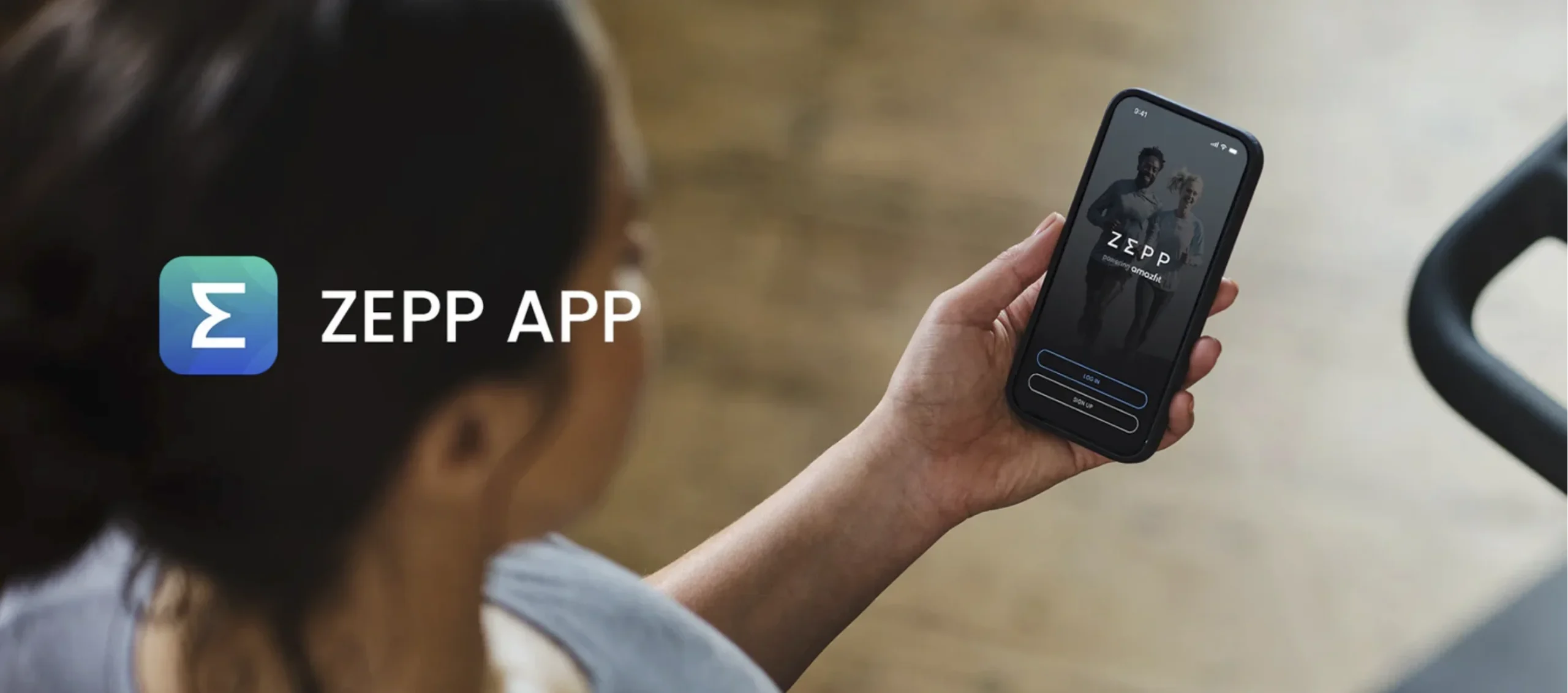
Good news for your wallet: it’s totally free! You can grab it from the Google Play Store or the App Store. It plays nice with Android devices running 7.0 or newer and iOS devices on 12.4 and up. So, chances are, if you have a relatively modern smartphone, including those cool Xiaomi phones rocking HyperOS, you’re good to go.
A Quick Peek into Zepp’s Journey
Zepp App first popped onto the scene back in 2016, serving as the companion for the early Amazfit devices. But things really kicked into high gear in 2022 when Zepp Health underwent a significant restructure. Fast forward to 2025, and the app is at version 9.13.6 (as of October), boasting advanced AI features and a super intuitive design.
Why should you care about this evolution? Because Zepp App has transformed from a simple step counter into what Zepp Health aptly calls a “digital personal coach.” It’s all about empowering you with smarter insights.
Key Features: Let’s Break ‘Em Down
Zepp App really shines in its user-friendliness. Open it up, and you’re greeted with a vibrant dashboard showcasing your key health and fitness metrics. Let’s dive into what makes it so useful:
Health and Fitness Tracking:
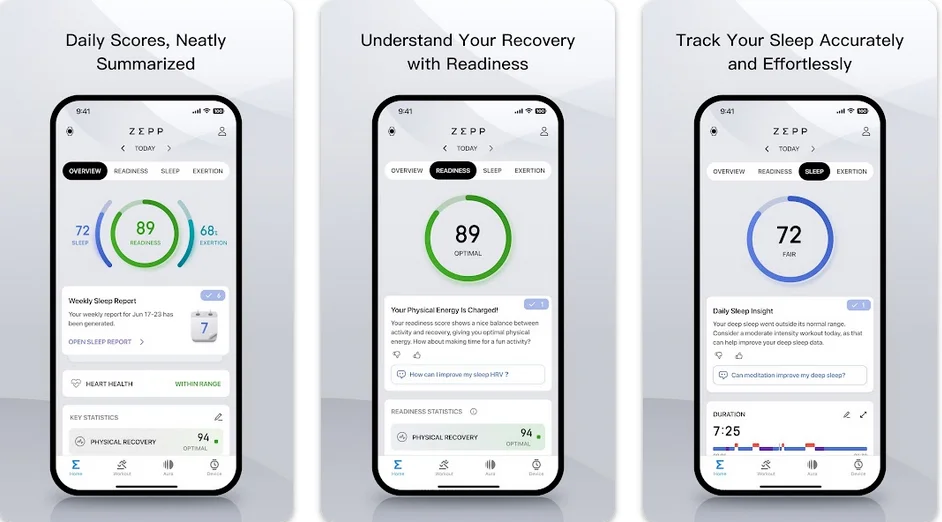
- Steps, Heart Rate, and Sleep: It automatically tracks your daily steps with impressive 95% accuracy (tested in 2025!), your Heart Rate Variability (HRV), and even your sleep stages, all powered by AI.
- Example: Go for a 5km run? The app can generate an “Exertion Score” to help you gauge your recovery needs. Pretty neat, right?
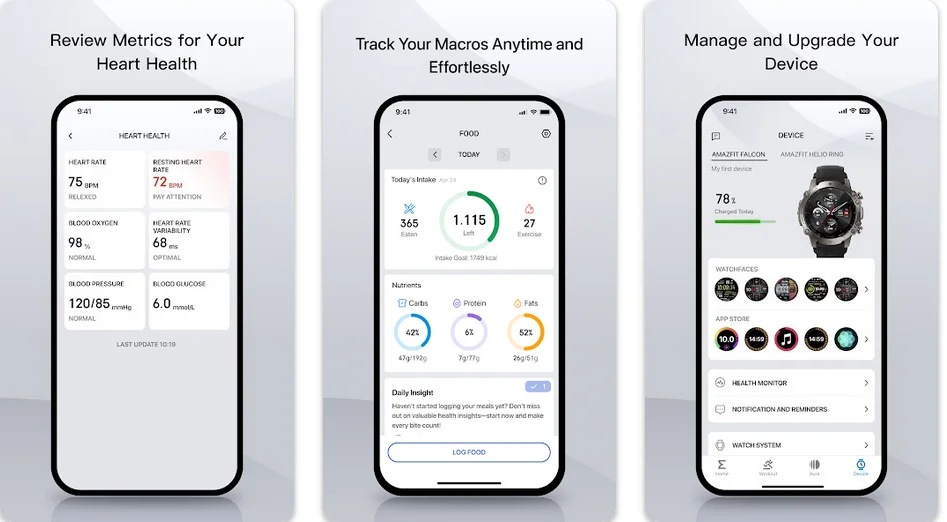
Nutrition with Food Log: A cool new feature for 2025! Now, you can snap a pic of your meal, and the app will estimate the calorie count. You can also save your favorite meals for quick logging – perfect for sticking to those personalized diet plans.

Heart Health Dashboard:
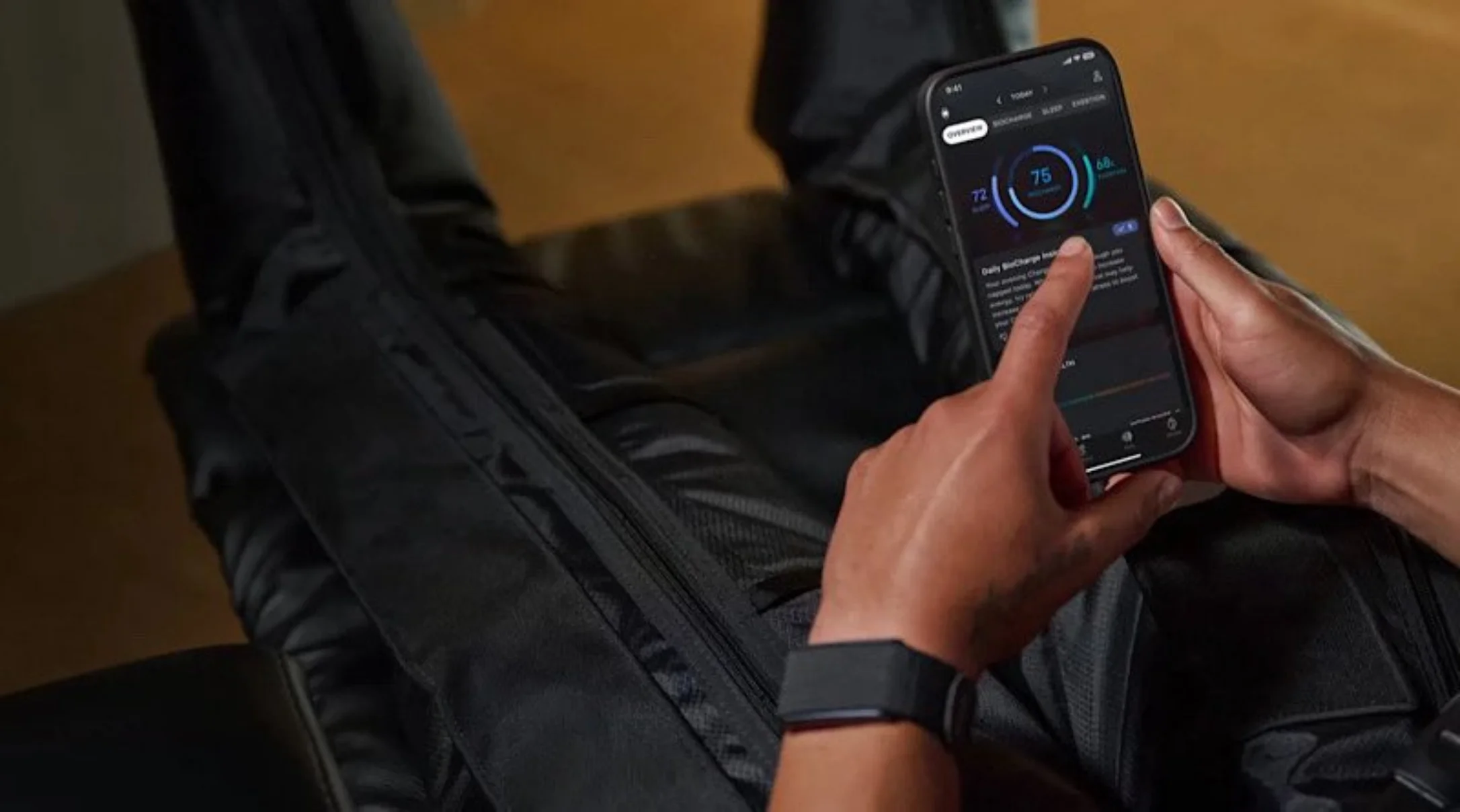
- This section neatly integrates your Heart Rate (HR), Resting Heart Rate (RHR), blood oxygen levels, and more. Color-coded indicators (green for good, red for attention) make it a breeze to read. For 2025, it’s even smarter, allowing manual input of glucose and blood pressure data from external devices.
Zepp Aura: Your Free AI Wellness Companion:
- The basic version is free and offers sleep analysis, guided meditations, and a daily AI-generated message. If you want to go the extra mile, a premium subscription unlocks personalized wellness plans.
- Pro Tip: Activate “Zepp Coach” for tailored running plans that adapt to your fitness level.
Customization and Updates:
- Dive into a world of downloadable watch faces and mini-apps (like a Bluetooth thermometer!). Over-the-air (OTA) updates ensure your device is always running the latest software.
Here’s a quick table summarizing some of these awesome features:
| Feature | Benefit | Example in Use |
|---|---|---|
| Exertion Score | Daily recovery recommendations | “Today, aim for a 30-min walk instead of running.” |
| Food Log | Nutritional analysis | Photo of salad = 250 kcal, 5g protein |
| Heart Health | Cardiovascular monitoring | Alerts if HR >100 bpm at rest |
| Zepp Aura (AI) | Personalized insights | Daily sleep summary and recovery advice |
And for all you privacy-conscious folks out there, rest assured: Zepp App is GDPR-compliant and uses AWS encryption to keep your data safe. For 2025, it’s also beefing up its integration game, connecting with popular platforms like Strava and adidas Running to create a more comprehensive fitness ecosystem.
Zepp OS: The Brains Behind Your Amazfit Gadgets
If Zepp App is your remote control, then Zepp OS is the powerful engine humming inside your Amazfit device. This proprietary operating system, exclusive to Amazfit, powers a range of smartwatches, from the rugged T-Rex 3 to the sleek Bip 6. As of 2025, the star of the show is Zepp OS 5, which made its grand debut in May with the Amazfit Balance 2.
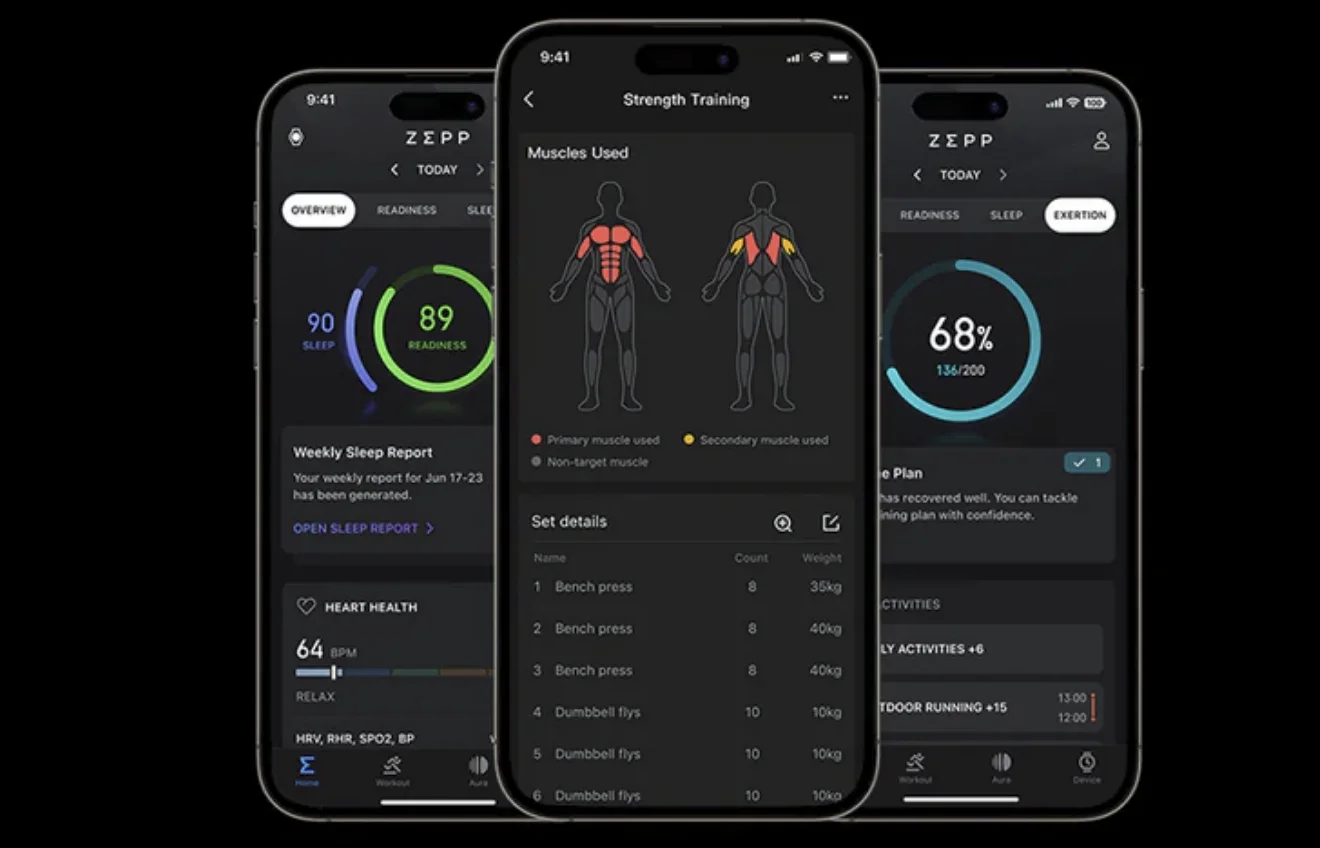
The Evolution of Zepp OS
Zepp OS first arrived on the scene in 2021, replacing the older RTOS. By 2023, Zepp OS 3.0 brought the exciting world of mini-apps to your wrist. Now, in 2025, Zepp OS 5 is here, packing native AI capabilities and support for hybrid wearables like the innovative Helio Strap. Even software updates, like the one in August for the Active 2 Square, are rolling out new features like a Jet Lag Manager and adjustable font sizes.
Zepp OS 5: A Practical Look at Its Coolest Features
Zepp OS is designed to be lightweight, which translates to amazing battery life (think up to 14 days!) and a super smooth user experience. Here’s a breakdown:
Zepp Flow 2.0: Interact with Your Voice:
- This is your AI assistant on your wrist, responding to commands like “Start timer” or “Show me the weather.” With OS 5, it’s even smarter, enabling voice responses to WhatsApp messages.
- Example: Just say, “Zepp, play music,” and it can sync with your Spotify app.
Glove Mode and Advanced Metrics:
- Perfect for outdoor adventurers, the Glove Mode ensures your touchscreen still works even when you’re wearing gloves. Plus, advanced Running Dynamics metrics can track your cadence and stride length.
Jet Lag Manager:
- A brand new feature for 2025! This smart tool helps you adjust your sleep schedules and light exposure based on your flight information, which is a lifesaver for frequent travelers.
- Mini-Apps and Security:
- The App Service handles background tasks, and support for PSTI/DOC is extended to 2025 for models like the Bip 5.
- Compatible Devices: Models like the Balance 2, T-Rex 3, and Bip 6 (which received OS 5 in July 2025) are powered by Zepp OS.
- How to Update: Simply open the Zepp App, go to Profile > Updates.
Here’s a quick comparison of Zepp OS versions:
| Zepp OS Version | Launch | Key New Features |
|---|---|---|
| 3.0 | 2023 | Mini-apps without UI |
| 4.5 | 2025 | Flow enhancements |
| 5.0 | May 2025 | Jet Lag Manager, Running Dynamics, Wild.ai sync |
While Wear OS might offer a wider range of third-party apps, Zepp OS truly wins when it comes to battery efficiency and a streamlined, focused experience.
The Xiaomi Connection: From Shared Roots to HyperOS Harmony
Amazfit isn’t an island; Zepp Health has been a Xiaomi spin-off since 2018, sharing a common DNA focused on accessible innovation. In 2025, this synergy is stronger than ever, especially with the rollout of HyperOS, Xiaomi’s unified operating system for its devices.
Seamless Integration with Xiaomi and HyperOS
You might be familiar with Zepp Life (formerly Mi Fit), which handles devices like Mi Bands and Xiaomi smart scales. While Zepp Life is still around, it can sync its data with Zepp App via your Mi Account.
The real magic happens with HyperOS. On your Xiaomi 14 or future Xiaomi 15, Zepp App can tap into unified notifications and even leverage your phone’s sensors for more comprehensive hybrid tracking.
- Practical Example: Pair your Amazfit GTR 4 with a Xiaomi phone running HyperOS. You’ll get seamless call alerts, PAI (Personal Activity Intelligence) score syncing, and you can even use Zepp Flow with Xiaomi’s own Xiao AI assistant.
- The Benefits? Better battery optimization (HyperOS can reduce Bluetooth power consumption by up to 20%) and more unified updates across your devices.
- By 2025, Zepp is also integrating with Xiaomi’s own smartwatches like the Xiaomi Watch 8 Pro/9/10 (which run HyperOS for watches), allowing for incredible cross-device data sharing.
- Quick Tip: In the Zepp App, navigate to Profile > Third-Party Accounts and enable sync with Mi Fitness to bridge the gap.
Android Compatibility: Smooth Sailing, No Roadblocks
Zepp App is built natively for Android, meaning it’s designed to play nice with your phone’s permissions for notifications, GPS, and Bluetooth. On HyperOS (which is based on the latest Android versions), this integration goes even deeper. Think shared wallpapers, unified gestures, and even easier access to Google Fit data.
- Common Hiccups: If syncing isn’t working, double-check your app permissions. Make sure Location is enabled for route tracking and Storage is allowed for exporting data.
- Looking ahead to 2025, Zepp is already showing support for the Android 16 beta, hinting at even more AI-driven features down the line.
Installation and Daily Use: A Step-by-Step Guide for Newbies
Getting started with Zepp App and your Amazfit device is pretty straightforward. Let’s walk through it:
Download and Install:
- Head over to the Google Play Store and search for “Zepp App.” It’s a relatively small download, usually around 317 MB.
- Create an account. You can use your email or, for a quicker setup, your existing Mi Account.
Pairing Your Amazfit:
- Power on your Amazfit watch (let’s say it’s the Active 2).
- In the Zepp App, tap “Add Device” and then choose to scan the QR code on your watch or connect via Bluetooth.
- Give it a couple of minutes (usually 2-5) to complete the initial sync.

Initial Setup:
- Fill out your profile: Enter your age, weight, and fitness goals.
- Grant Permissions: It’s crucial to allow notifications and GPS access for the app to function correctly.
- Update Your Watch: Make sure to check for and install any available OS updates directly through the app.
Daily Usage:
- Dashboard: Start your day by checking out your morning scores and a summary of your overnight sleep.
- Workouts: Initiate your workouts either from the app or directly on your watch.
- Analysis: Need to share your progress? You can often export your workout data to PDF for your doctor or coach.
- Troubleshooting: If the app ever crashes, a simple fix is to clear its cache. Go to your phone’s Settings > Apps > Zepp > Storage > Clear Cache.
2025 Updates: What’s New and Exciting You Should Know
The Zepp ecosystem is constantly evolving. Here’s a glimpse of what’s been cooking in 2025:
- Zepp App 9.13.6 (October 2025): This update brings significant enhancements to the Food Log, with improved AI recognition for various ethnic cuisines. The Exertion Score also gets a boost, with better integration into the Xiaomi HyperOS environment.
- Zepp OS 5 (July 2025 on Bip 6): Flow 2.0 now offers even more responsive voice interactions, and a notable addition is the support for Wild.ai for female health tracking, following Zepp Health’s acquisition in September 2025.
- Ecosystem Expansion: The CES 2025 showcased new developments like V1TAL, an innovative device focused on nutritional analysis, further broadening the Amazfit health tech portfolio.

The 2025 Amazfit Ecosystem: More Than Just a Smartwatch
Zepp is the glue that holds the entire Amazfit experience together. From the robust T-Rex 3 Pro smartwatch and the sleek Helio smart ring to premium app features like Zepp Aura, the ecosystem is rapidly expanding. Zepp Health reported a significant 46% revenue increase in Q2 2025, with over 15.7 million active users. Their integration with Xiaomi is key, aiming to create a truly interconnected “smart home” for your health and wellness.
Mastering Zepp is Your Next Step to Elevating Your Well-being
You’ve now journeyed through the world of Zepp App and Zepp OS, from the initial setup to the cutting-edge features of 2025, including its seamless integration with Xiaomi HyperOS and Android. In today’s landscape, this ecosystem doesn’t just track your activity; it actively inspires meaningful changes – whether it’s improving your sleep with Aura or planning your next marathon with Zepp Coach. If you feel like everything is finally clicking into place, then our mission is accomplished. Ready to take the plunge? Download the Zepp App today and join millions of users who are already on their path to a healthier lifestyle. Here at TechMobileHub, we’re committed to keeping these guides fresh and updated – so don’t forget to subscribe for more on wearables and mobile tech!